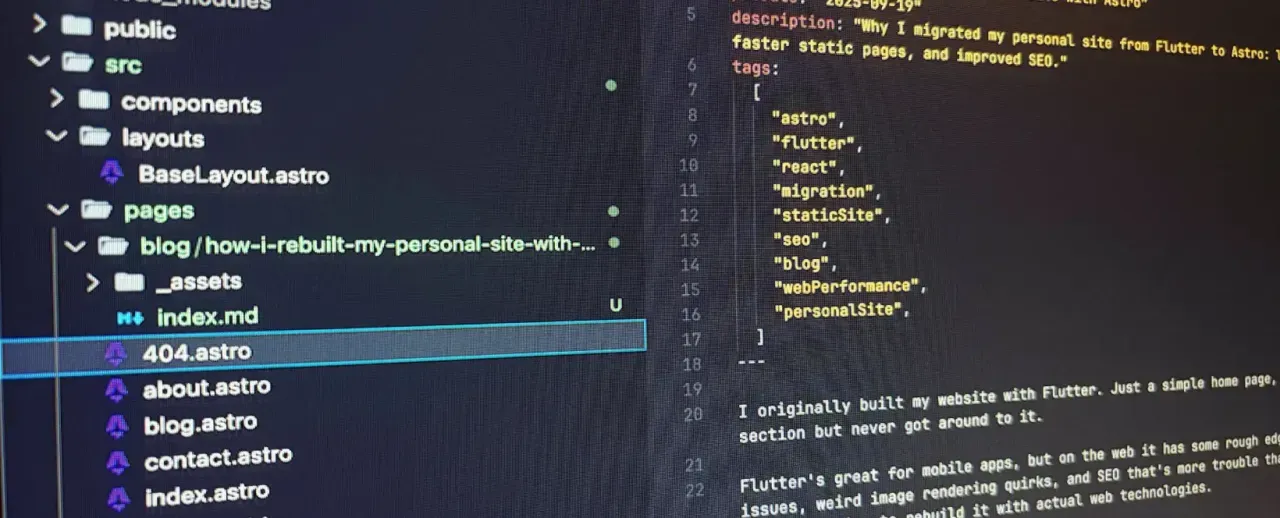
My website started its life in Flutter. It was simple enough: home, about, and a contact page. Nothing wild. I always meant to add a blog, but I kept putting it off because, well, Flutter on the web works, but it doesn’t work well.
It’s fantastic for apps, don’t get me wrong. But for a content site? You’re dealing with packages that break on web, weird dart:io issues, text rendering and scrolling quirks, and SEO that feels like a hackathon project. For a simple portfolio and blog, the friction just wasn’t worth it. I pulled the plug and decided to rebuild with actual web tech.
The React Trap
Naturally, I looked at React first. It’s practically synonymous with “modern web development” at this point. Every job post asks for it; every tutorial defaults to it. Even though my background was more Vue and old-school PHP/Laravel, I figured React was the “correct” choice in 2025.
Turns out, “popular” doesn’t mean “simple.”
React forces a specific mental model on you. You’re constantly juggling renders, dependency arrays, side effects, and state, even for static content. I found myself over-engineering a solution for “display text on screen.” The conceptual overhead felt surprisingly heavy for what should have been a lightweight project.
And then there’s the ecosystem fatigue. Before writing a line of code, I was vetting bundlers, routers, state management libraries, and linting rules. I spent days reading “Best Practices for 2025” articles instead of actually building the site. It felt… noisy.
Stumbling onto Astro
Frustrated, I started digging for alternatives and caught a mention of Astro in a random Reddit thread. The pitch was refreshing: “just write HTML and CSS, ship zero JS by default.”
It sounded like the way web development used to feel, before we started sending 2MB of JavaScript to clear a div. I was skeptical, but curious.
A weekend later? I had the entire site ported, plus the blog section I’d been procrastinating on for months. It was faster, simpler, and more enjoyable than I expected.
The design: a love letter to vim and TUIs
Full disclosure, I don’t actually use Vim. I write all of this in VS Code like a perfectly normal person. That said, I do spend a lot of my day in the terminal using git, tmux, Claude Code, and a bunch of other CLI stuff. And something about vim and TUIs has always felt cool and hacky and delightfully computer-y to me, and I wanted that energy on my website.
So the whole thing is dressed up like a vim buffer:
- Monospace everywhere (JetBrains Mono).
- A near-black background with muted greys for body text and brighter foregrounds for links, just like a dim colorscheme.
- A sticky status bar at the bottom of every page with the current path (
~/blog), a-- NORMAL --/-- VISUAL --indicator that flips when you select text, and aTop/Bot/ percentage scroll position. It’s purely cosmetic, but it makes me smile. - Navigation links written as Ex commands (
:about,:blog,:contact,:work), because that’s how I’d actually open them in my head.
It’s a weird flex for a personal site, but the constraint was useful. Once I committed to “looks like a vim buffer,” a lot of design decisions got easier. No marketing hero, no gradients, no glassmorphism, just text on a dark background.
How it’s set up
The structure is super clean. It doesn’t feel like an “app”; it feels like a website.
src/
├─ components/          # BackButton, Newsletter, SEO, StatusBar
├─ content/
│   └─ blog/            # markdown/MDX posts, one folder per post
├─ content.config.ts    # Zod-typed Content Collections schema
├─ layouts/
│   └─ BaseLayout.astro # the master template
├─ pages/
│   ├─ index.astro      # homepage
│   ├─ about.astro
│   ├─ contact.astro
│   ├─ blog/            # listing + dynamic [...id].astro route
│   ├─ work/
│   ├─ api/             # newsletter subscribe + verify endpoints
│   ├─ rss.xml.ts       # full-content RSS feed
│   ├─ robots.txt.ts
│   └─ llms.txt.ts
├─ styles/
│   └─ global.css       # Tailwind v4 + a few custom tokens
└─ utils/
    └─ seo.ts           # JSON-LD + canonical URL helpers
The killer feature is how it handles content. Blog posts are literally just Markdown (or MDX) files inside a Content Collection. No CMS to configure, no database, no complex JSX-to-HTML pipelines.
---
title: "My Post"
pubDate: "2025-09-19"
description: "Just a regular blog post"
tags: ["web", "astro"]
---

# This is just markdown

And it works exactly like you'd expect.
That YAML block at the top (frontmatter) handles all the metadata. content.config.ts runs it through a Zod schema at build time, so I can’t accidentally publish a post without a date or with a misspelled field. The build just refuses.
Here’s a quick breakdown of the moving parts:
- Components: small, self-contained pieces.
StatusBaris the vim-mode footer,Newsletteris the email signup,SEOhandles meta tags and Open Graph,BackButtonis a one-liner I reuse on subpages. - Layouts:
BaseLayout.astrodoes the heavy lifting, the HTML skeleton, meta tags via theSEOcomponent, the status bar, JSON-LD, the lot. Every page just wraps itself in this. - Pages: the file system is the router.
index.astrois home.about.astrois/about. Theblog/[...id].astrofile usesgetStaticPathsover theblogcollection to generate one route per post. - Content: posts live under
src/content/blog, each in its own folder so images can sit right next toindex.mdxand get optimized by Astro’s image pipeline. - Styles: Tailwind v4 driven from a single
global.css, with a small set of custom design tokens (thevim-bg,vim-fg,vim-linkcolors) defined via@theme. No SCSS, no PostCSS config, no preprocessor babysitting. - Utils: small TypeScript helpers.
seo.tsbuilds canonical URLs and the shared Person/Website JSON-LD I drop into every page.
A few extras worth mentioning: the site is deployed to Cloudflare via @astrojs/cloudflare and wrangler, the RSS feed is full-content (so you don’t have to leave your reader), there’s a sitemap from @astrojs/sitemap, and the newsletter is a tiny Resend-backed flow with a double opt-in, all running on the same Cloudflare Worker.
Why it stuck
Astro just fit the problem I was solving. I wanted a personal site, not a Single Page Application. I didn’t need client-side routing or complex state management; I needed HTML that loads fast.
The Content Collections feature is a godsend for blogs. I get type safety on my frontmatter (so I can’t accidentally publish a post without a date), and it handles all the build-time generation.
It feels like making a website in the good old days. You’re writing actual HTML, CSS, and JS, but with the power of modern tooling. I stopped fighting the tools and started writing content again. Development is fast, simple, and honest.
Final thoughts
I went into this assume React was the default answer. I was wrong.
React isn’t “bad,” obviously. If I were building a dashboard or a complex interactive app, I’d pick it up in a heartbeat. But for a blog? A portfolio? A documentation site? I think it’s overkill. But Astro? It’s a breath of fresh air. This feels like making a website back when the web was simpler, but with all the modern conveniences.
You can check out the source on GitHub.